


Tags
Div
The Division (Div) tag in PDF accessibility serves as a general-purpose container for organizing content within a document’s tag structure. It is often used to group related elements logically, making it easier for assistive technologies like screen readers to navigate and interpret the content.
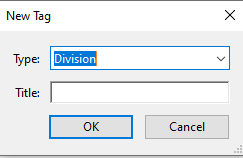
- Create “New Tag”
- Select “Division”
- Insert elements in the division tag.
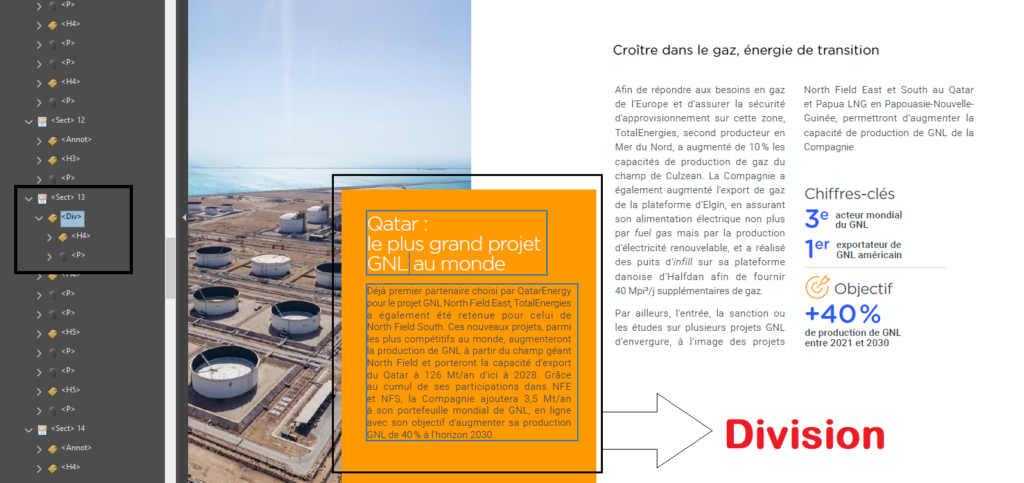
A division is used to group elements of a page together in a separate and distinguishable area.
On this page
When to Use the Div Tag:
- To encapsulate a block of content that doesn’t naturally fall under a specific tag but is logically grouped together.
- To divide content into sections for clarity without altering its semantic meaning.
- To simplify complex document structures by grouping nested elements.
- In some workflows, Div tags can be used to apply consistent attributes or styles to a group of content elements.
- Use the Div tag sparingly and only when necessary to group elements logically.
- Ensure the content within a Div tag is tagged correctly (e.g., paragraphs, headings, lists).
- Avoid overusing Div tags, as this can complicate the tag tree unnecessarily.
On this page
How Screen Readers Interact with Div Tags
Screen readers do not announce the presence of a Div tag; instead, they interpret and vocalize the content within it. For instance:
- If a Div contains paragraphs, the screen reader will read the paragraphs sequentially.
- If a Div contains nested tags, such as a heading followed by a list, the screen reader will announce those tags and their content in the appropriate order.
By organizing content with Div tags thoughtfully, you ensure a smoother, more intuitive experience for users relying on screen readers.